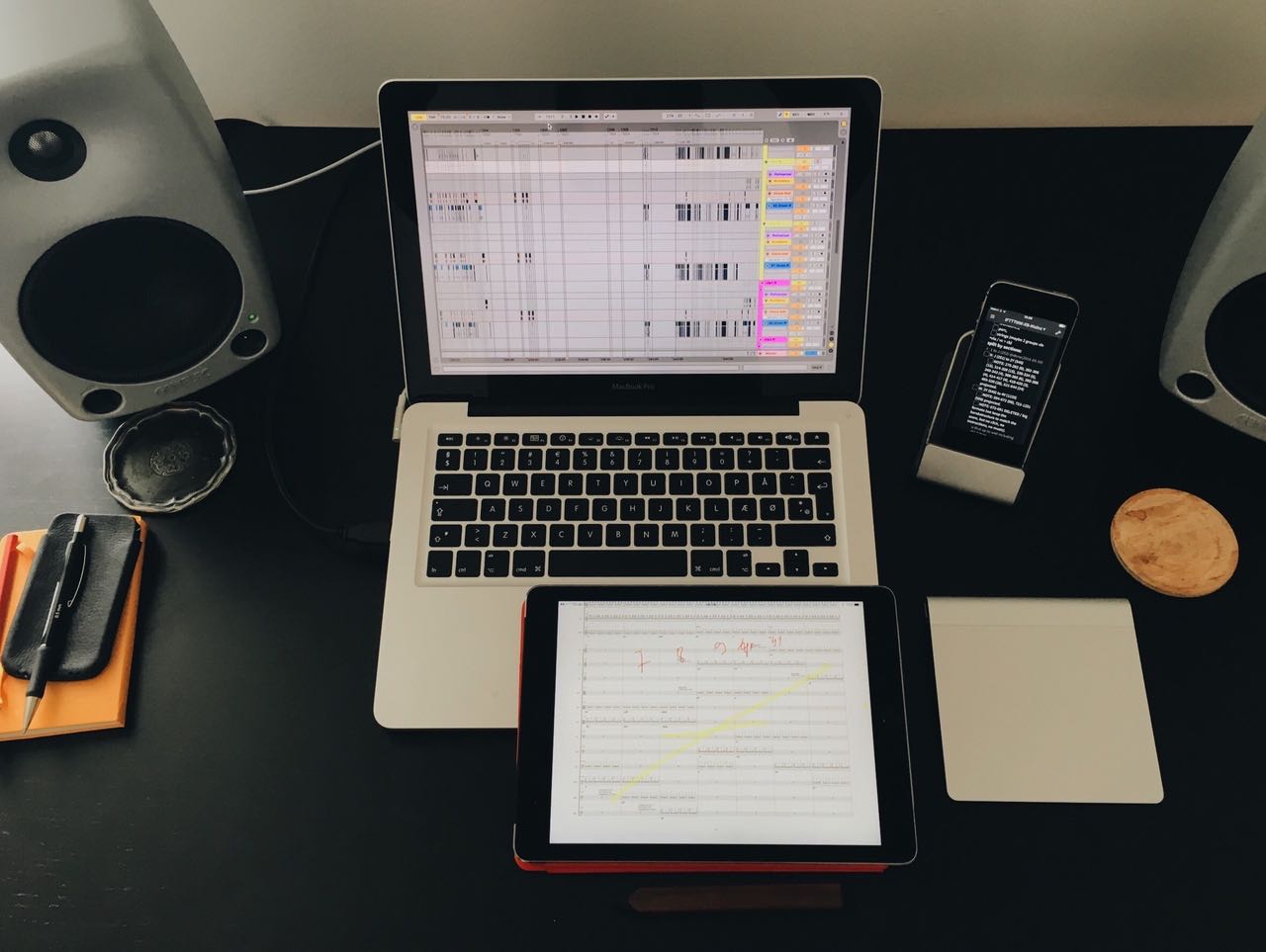
A snapshot of my desk as I’ve had it set-up during the last two months. Ableton Live on my old MacBook Pro, forScore and Slack on my iPad and a Taskpaper in Editorial on my iPhone. I’d sold my 27” iMac just before commencing this project and having that large screen would have come in handy. On the other hand I’ve been enjoying this multiple screen/device set-up: A specific function for each.
The huge screen of the iMac had once been a dream, but in recent years I’ve come to feel that it’s too much. Even when using Launchbar for a lot of navigation, the app menus somehow always seemed a long way off. Great at the office, but I often prefer the manageable size of my iPad to having all that light coming at me – especially late at night when writing texts such as these.
Erik Spiekermann once made a connection between the size of books, screens, and our hands. The iMac is a pretty large canvas but it’s not always that one wants to be standing in front of one. The multiple device route helps cover all bases, as well break down to smaller modules when you need to.
Podcaster Myke Hurley recently shocked the world by mentioning how he preferred using his iPad Pro for many tasks – even using it while sitting in front of the glorious 5K screen of his Retina iMac. Inspired by his discussions with CGP Grey, he now has a dual iPad set-up – Pro and ‘Baby Pro’, though perhaps not as rigorously divided according to function as CGP. They’ve discussed it all on Cortex and Connected.
